Second Hand Gear: A Smart Buyer's Guide for 2027
19 September 2026
Buying used tech has always been a gamble, but the rules of that gamble are shifting fast. In 2027, the second hand market is no longer a scrappy corner of classifieds and sketchy forum trades. It is a structured, semi-professional ecosystem with certified refurbishers, AI-driven condition grading, subscription-based ownership models feeding trade-in pipelines, and a growing pile of hardware that still has plenty of life left in it. If you know how to read the signals, you can walk away with gear that performs within a few percentage points of new for half the price. If you do not, you can end up with a paperweight that costs more to repair than to replace.
This guide is not about scoring a lucky deal. It is about building a repeatable process for evaluating second hand hardware, understanding where the real risks hide, and knowing when buying used is genuinely smarter than buying new. The advice here applies across phones, laptops, cameras, audio gear, and gaming hardware, with specific notes where categories diverge.

Why the Second Hand Market Looks Different in 2027
Three forces have reshaped the used market over the past few years.First, hardware refresh cycles have slowed in meaningful ways. A flagship phone from 2023 or 2024 still handles everyday tasks without drama. Laptops with solid-state storage and modern processors from that era remain perfectly capable for office work, light creative tasks, and development. The gap between "new" and "three years old" is now mostly about camera improvements, minor efficiency gains, and software support windows, not about whether the device can do the job.
Second, manufacturers and retailers have leaned hard into trade-in and refurbishment programs. This has created a steady supply of professionally inspected devices with warranties, which competes directly with the informal peer-to-peer market. That competition is good for buyers, because it forces private sellers to price more realistically and gives you a benchmark for what "fair" looks like.
Third, software support windows have become the single most important variable in used tech valuation. A phone with two years of security updates left is worth far less than an identical phone with five years left. Sellers know this, but many buyers still do not factor it in. That gap is where smart buyers find value, and where careless buyers get burned.

The Core Framework: What Actually Determines Used Value
Before you look at a single listing, internalize this. The price of used gear is a function of five things, and only one of them is cosmetic condition.Remaining software support
This is the big one. A device that will stop receiving security patches next year is a different product than one with four years left, even if they look identical and benchmark the same. Check the manufacturer's official support policy for the specific model, not the brand in general. Some lines get long support windows; others get abandoned quickly.Battery and wear components
Batteries, fans, thermal paste, hinges, and mechanical switches all degrade with use. Some are cheap and easy to replace. Others are soldered, glued, or buried under layers of disassembly. A used laptop with a swollen battery is not a bargain at any price. A used phone with 78 percent battery health might be fine for a year, but you should price in a replacement.Repair history and part authenticity
A screen replaced with an official part by an authorized center is very different from a screen replaced with a cheap aftermarket panel by a mall kiosk. Both might look fine on day one. Only one will still look fine in a year. Ask directly, and be suspicious of vague answers.Market liquidity
Some devices hold value because they are popular and easy to resell. Others crater because nobody wants them. This matters if you plan to upgrade later. It also affects parts availability and community repair knowledge.Cosmetic condition
This is the least important factor for performance, but it drives price the most in listings. Scratches and scuffs are leverage for negotiation, not dealbreakers. A dented corner on a laptop that runs cool and quiet is a better buy than a pristine one with a failing fan.
Where to Buy: Channels and Their Trade-offs
There is no single best place to buy used tech. Each channel has a distinct risk profile.Certified refurbished from manufacturers
Apple, Dell, Lenovo, Samsung, and others sell refurbished units directly. These typically come with a warranty, a fresh battery if needed, and a return window. Prices are higher than peer-to-peer, but the risk is low. This is the right choice if you value your time and want a clean return path.Third-party refurbishers with grading systems
Companies that specialize in refurbishment often use a grading scale like A, B, C, or "excellent," "good," "fair." The problem is that grading is not standardized across sellers. One seller's "excellent" is another's "good." Always read the specific condition notes, not just the grade. Look for sellers who publish battery health thresholds, list known cosmetic flaws, and offer at least a 30-day return window.Peer-to-peer marketplaces
This is where the best prices live, and also the worst outcomes. The advantage is direct negotiation and often local inspection. The disadvantage is zero accountability once the transaction ends. If you go this route, meet in person when possible, test thoroughly before paying, and never use payment methods that offer no recourse.Auction sites and liquidation channels
These can produce genuine steals, but they require patience and tolerance for risk. Returns are often not possible. Descriptions may be incomplete. This is not the place for a first used purchase.Community forums and enthusiast groups
For cameras, audio gear, and mechanical keyboards, enthusiast communities often have buy-sell-trade sections with reputation systems. Prices are fair, condition descriptions are usually honest, and the community pressure to behave well is real. This is one of the most underrated channels.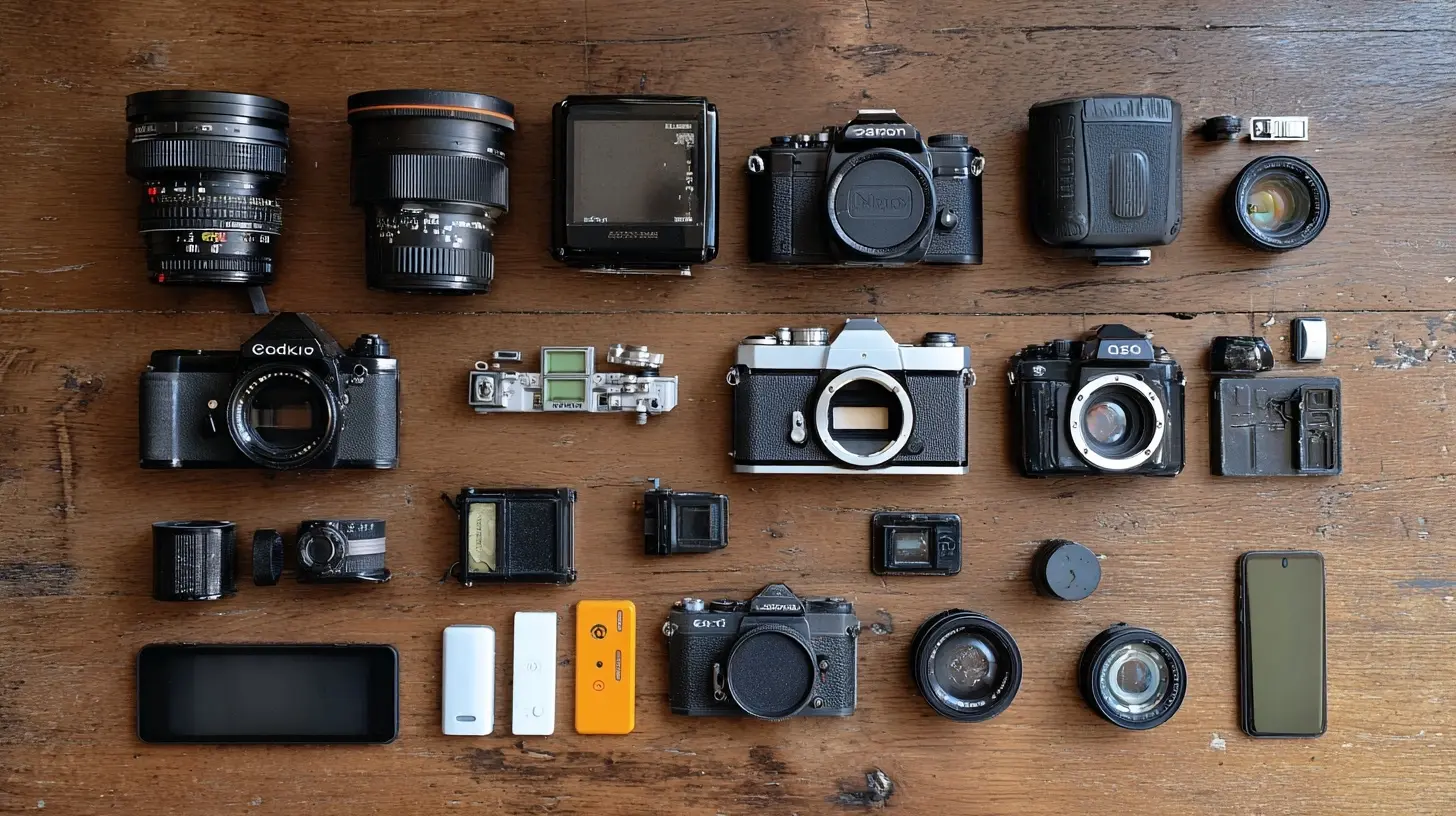
How to Evaluate a Listing Like a Professional
Most buyers scan a listing in thirty seconds and decide based on price and photos. That is how you miss red flags. Here is a better approach.Read the description for what is missing
Sellers disclose what helps them. They omit what hurts them. If a listing mentions the device, the storage, and the color but says nothing about battery health, screen condition, or repair history, those are your first questions. Silence is information.Look at the photos for context clues
A photo taken on a clean desk with good lighting suggests a careful owner. A photo taken on a cluttered floor with a cracked screen protector suggests otherwise. Look at the edges of the device, the ports, and the hinge or frame. Zoom in. If the seller only provides one angle, ask for more.Check the model number, not just the name
Manufacturers reuse product names across years with different internals. A "Galaxy S" from one year is not the same as a "Galaxy S" from another. Confirm the exact model number and look up its specs, support window, and known issues.Ask about the original purchase date and receipt
A receipt is not proof of condition, but it is proof of provenance. It tells you the device's age, whether it was bought new or refurbished, and whether it is still under any transferable warranty.Inquire about accessories and original packaging
Original chargers, cables, and boxes are not just nice to have. They indicate the device was kept intact. More importantly, using the correct charger matters for battery health, especially on laptops and fast-charging phones.The Inspection Checklist: What to Test Before You Pay
If you can inspect in person, do not rush. Bring a checklist and run through it methodically. If you are buying remotely, ask the seller to perform these tests on video call, or rely on a platform with a strong return policy.For phones and tablets
Check battery health in the settings menu. Anything below 85 percent means you should budget for a replacement. Test the touchscreen across the entire surface, including edges and corners. Check the cameras for dust, focus issues, and dead pixels. Test the speakers and microphones. Verify that Wi-Fi, Bluetooth, cellular, and GPS all work. Check for water damage indicators if accessible. Confirm the device is not carrier-locked or tied to someone else's account.For laptops
Check the battery cycle count and health. Test every port, including USB, HDMI, and the charging port. Open and close the lid several times to feel the hinge. Listen to the fan under load. Check the keyboard for dead keys and the trackpad for responsiveness. Look for screen discoloration, backlight bleed, and dead pixels on a solid color background. Confirm the storage and RAM match the listing.For cameras
Check the shutter count if the model reports it. Inspect the sensor for dust and scratches with a bright light. Test autofocus on multiple points. Check the lens mount for wear. Fire the shutter at different speeds and apertures. Look at the LCD for dead pixels and the viewfinder for clarity.For audio gear
Listen. That sounds obvious, but many buyers skip it. Test at low and high volumes. Check for channel imbalance, distortion, and background noise. Inspect cables and connectors for corrosion or fraying. For headphones, check the pads and headband for wear, since replacements can be expensive.For gaming hardware
Check for stick drift on controllers. Test all buttons and triggers. For consoles, check the disc drive if applicable, the fan noise, and the storage health. Verify the account situation, since a console tied to someone else's account can be a headache.
Pricing: How to Know What Is Fair
Do not anchor on the original retail price. That number is irrelevant the moment the box is opened. Instead, build a price range from three sources.First, look at completed sales on marketplaces that show sold prices, not asking prices. Asking prices are wishes. Sold prices are reality.
Second, check certified refurbished prices from the manufacturer or a reputable refurbisher. This is your ceiling. If a private seller wants more than a warrantied refurbished unit, walk away.
Third, subtract for known issues. A battery replacement costs a known amount. A screen replacement costs more. Factor those in before you negotiate.
A useful rule: if the total cost of the device plus likely repairs is within 15 to 20 percent of a new or certified refurbished equivalent, buy the new or certified one. The warranty and peace of mind are worth that gap.
Common Mistakes and Misconceptions
"Used means risky"
Not necessarily. Used from a reputable refurbisher with a warranty is often lower risk than new from a marketplace seller with no return policy. The channel matters more than the condition label."Low battery health means the device is bad"
Battery health is a wear item, not a defect. A phone with 80 percent battery health is not broken. It just needs a new battery at some point. Price it in and move on."I can always replace the battery later"
Sometimes true, sometimes not. On many modern phones and laptops, battery replacement requires significant disassembly and can compromise water resistance. Check the repairability score for the specific model before assuming this is easy."The seller seems honest, so the device must be fine"
Honest sellers can still be wrong about their own devices. They may not have noticed a failing fan or a dead pixel. Trust the inspection, not the vibe."I will just return it if something is wrong"
Only if the platform allows it. Peer-to-peer sales are usually final. Auction sales are almost always final. Read the return policy before you bid or buy."Newer is always better"
Not for your wallet, and often not for your needs. A two-year-old flagship frequently outperforms a brand-new mid-range device, and it costs less. The exception is software support. Check that first.
When Buying Used Is the Wrong Choice
Used is not always smart. Skip it in these situations.If you need the device for mission-critical work where downtime is expensive, buy new or certified refurbished with a warranty. The savings are not worth the risk.
If the device is known for a common failure mode that appears after a certain age, and you cannot verify whether it has been addressed, avoid it. Examples include certain laptop models with hinge failures or certain phones with known display defects.
If the price gap between used and new is small, buy new. This happens with budget devices, where the absolute savings are trivial.
If you cannot inspect the device and the platform offers no meaningful return window, think hard. The risk may not be worth it.
If the device is for a gift or for someone who will not troubleshoot problems, buy new or certified refurbished.
Best Practices for a Smooth Purchase
Document everything. Save the listing, the chat history, and the payment record. If a dispute arises, this is your evidence.Use payment methods with buyer protection. Cash in person is fine if you have inspected the device. For remote purchases, use platforms that offer mediation.
Ask for a video call before paying for a remote purchase. A five-minute call where the seller demonstrates the device working, shows the battery health screen, and walks around the exterior eliminates most surprises.
Meet in a public place during the day for in-person sales. Bring a friend if possible. Do not share personal information unnecessarily.
Test with your own accounts and SIM where applicable. Logging into your own account on a phone or laptop confirms the device is not locked or restricted.
Keep expectations realistic. A used device will have some signs of use. That is normal. What matters is that the core functions work and the price reflects the condition.
The 2027 Outlook: What to Expect Next
Two trends are likely to shape the used market further.First, software support windows are becoming a marketing battleground. Manufacturers that offer longer support will see their devices hold value better. Buyers who understand this will gravitate toward those brands, and sellers of short-support devices will have to discount more aggressively.
Second, repair-friendly design is slowly gaining traction, driven by regulation in some regions and consumer demand. Devices that are easier to repair will hold value better because buyers can extend their lifespan. This is still uneven across categories, but the direction is clear.
The practical takeaway is simple. In 2027, the smartest used buyers are not the ones who find the cheapest listing. They are the ones who understand support windows, inspect thoroughly, price in wear items, and choose channels that match their tolerance for risk. Do that, and second hand gear becomes one of the best value plays in tech.
all images in this post were generated using AI tools
Category:
Camera GearAuthor:

Kira Sanders
Discussion
rate this article
2 comments
Clara Wolf
Choosing second hand gear wisely can uncover hidden treasures while helping the environment and your wallet.
October 16, 2026 at 11:22 AM
Kira Sanders
Absolutely! Second hand gear not only saves money, but also supports sustainability efforts. It's a win-win for everyone.
Valen Coffey
This guide offers essential tips for navigating the second hand market in 2027. It highlights key factors to consider, ensuring you make smart, informed purchases. Great read!
September 21, 2026 at 2:51 AM