How Voice Assistants are Shaping Tomorrow’s Productivity Tools
5 July 2026
Voice assistants have moved far beyond setting timers and playing music. They are quietly becoming the backbone of a new kind of productivity ecosystem -- one where your hands stay on the keyboard, your eyes stay on the work, and your intent is all that matters. This shift is not about replacing traditional tools; it is about rethinking how we interact with them. The question is no longer whether voice assistants can handle productivity tasks, but how they will redefine the very nature of work itself.
The Evolution from Command to Conversation
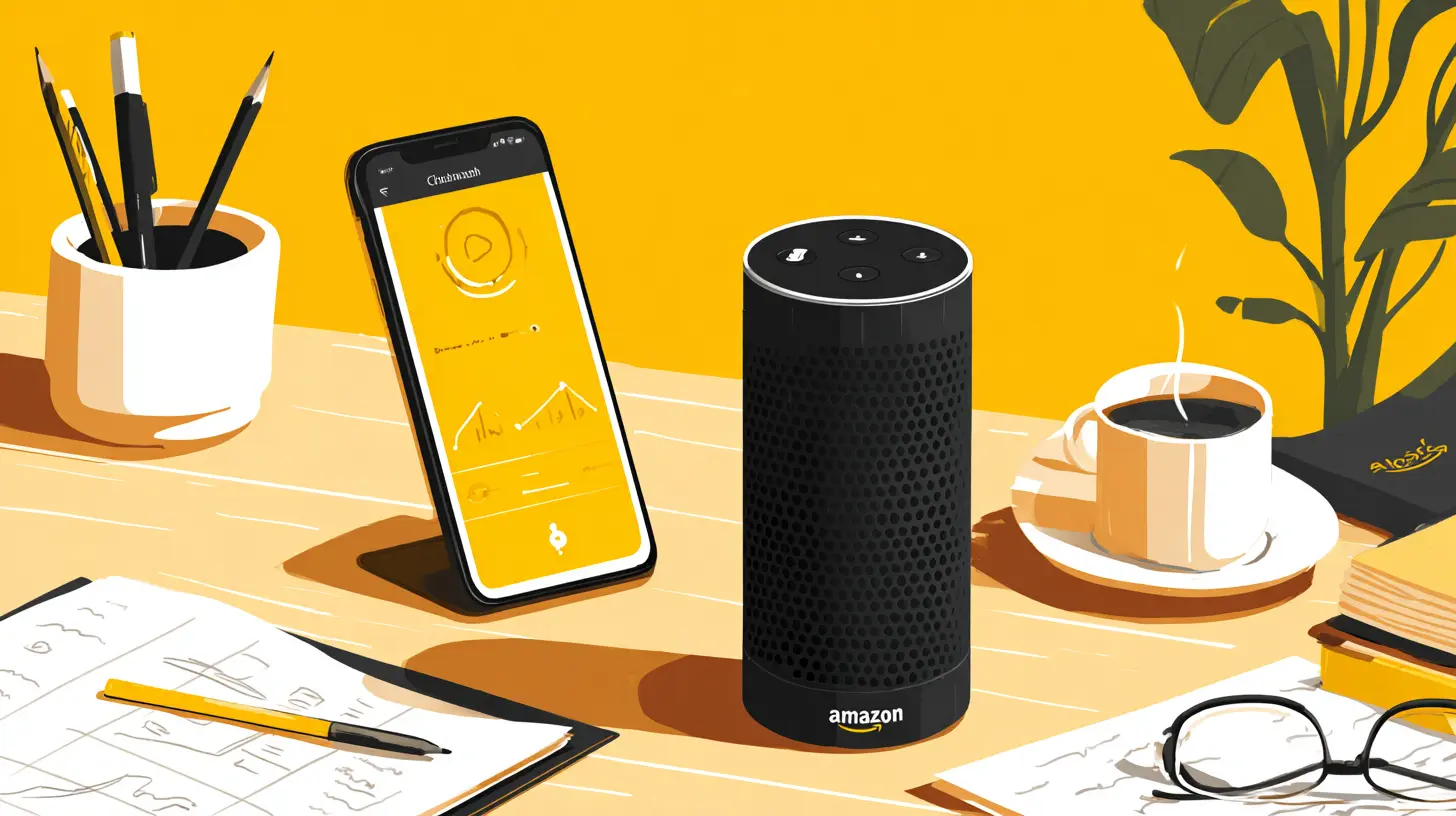
Early voice assistants were little more than voice-activated search bars. You asked for the weather, and they told you. You asked for a song, and they played it. The interaction was transactional, rigid, and often frustrating. Today, the landscape has changed dramatically. Modern voice assistants leverage natural language processing, machine learning, and contextual awareness to handle multi-step workflows. They can draft emails, schedule meetings, manage project boards, and even write code snippets -- all through conversational dialogue.What makes this evolution significant is the shift from "command and control" to "intent and delegation." Instead of saying "set a reminder for 3 PM," you can now say "remind me to review the Q3 budget when I get to my desk tomorrow morning." The assistant understands the context of location, time, and priority. This is not just convenience; it is a fundamental change in how we offload cognitive load. When your assistant can infer intent, you stop thinking about the mechanics of task management and start focusing on the outcomes.
Why This Matters for Productivity
Productivity is not about doing more things faster. It is about doing the right things with less friction. Voice assistants reduce friction by eliminating the need to navigate menus, open apps, or type commands. They turn a five-step process into a single utterance. This matters because every second you spend switching contexts -- moving from your calendar to your email to your project management tool -- costs you focus. Research on attention residue shows that even brief interruptions can take up to 23 minutes to recover from. Voice assistants, when designed well, become an extension of your workflow rather than an interruption to it.
The Core Mechanisms That Make Voice Assistants Work for Productivity
Understanding why voice assistants are effective requires looking under the hood at three key mechanisms: intent parsing, contextual memory, and action orchestration.Intent Parsing: Understanding What You Actually Mean
Intent parsing is the ability to extract the user's goal from natural speech. This is harder than it sounds. Human speech is full of ambiguity, incomplete sentences, and implied meaning. A good voice assistant does not just match keywords; it models the user's likely intention based on past behavior, time of day, and the current application context.For example, if you say "send that to John," the assistant must know what "that" refers to -- a document you just mentioned, an email you were reading, or a file you highlighted. This requires the assistant to maintain a short-term memory of the conversation and the application state. When done correctly, it feels magical. When done poorly, it results in frustration and abandonment.
The best practice for users is to be explicit without being robotic. Instead of saying "schedule a meeting," say "schedule a one-hour meeting with the design team next Tuesday at 10 AM." The more context you provide in a single utterance, the less the assistant has to guess. For developers, the key is to build systems that fail gracefully -- when the assistant cannot parse intent, it should ask clarifying questions rather than guessing wrong.
Contextual Memory: Remembering Without Being Told
Contextual memory is what separates a useful assistant from a frustrating one. A productivity tool that forgets what you talked about two minutes ago is not a tool; it is a burden. Modern voice assistants use short-term and long-term memory models. Short-term memory tracks the current session, while long-term memory stores preferences, patterns, and frequently used workflows.Imagine you regularly book a conference room for your weekly team standup. A good assistant will learn this pattern and, after a few weeks, offer to book the room automatically when it notices the recurring event. This is not AI magic; it is pattern recognition combined with proactive suggestion. The trade-off here is privacy. To remember your patterns, the assistant needs access to your calendar, email, and meeting history. Users must decide how much convenience they are willing to trade for data access. A common mistake is to grant blanket permissions without understanding what data is being stored and for how long.
Action Orchestration: Connecting the Dots
The third mechanism is action orchestration -- the ability to trigger actions across multiple apps and services. A truly productive voice assistant does not just talk to you; it talks to your tools. When you say "prepare the weekly status report," the assistant should pull data from your project management tool, compile it into a document, attach relevant charts, and email it to the team. This requires deep integrations with APIs, proper authentication, and error handling.The challenge here is that most productivity tools do not talk to each other well. Voice assistants act as a middleware layer, translating your natural language into API calls. This works beautifully when integrations are robust, but it breaks down when a tool lacks an API or requires manual authentication. A common misconception is that voice assistants can do everything. In reality, they are only as powerful as the integrations they support. Before adopting a voice assistant for productivity, check which tools it supports natively and whether those integrations are read-only or allow write access.

Practical Applications Across Different Workflows
Voice assistants are not one-size-fits-all. Their value depends heavily on the type of work you do and your personal workflow style. Here are some real-world scenarios where they shine, along with the trade-offs.Task Management and Scheduling
This is the most mature use case. Voice assistants excel at creating tasks, setting reminders, and managing calendars because these actions are simple, structured, and repetitive. You can say "add 'review Q3 budget' to my tasks for Friday morning" and the assistant will create the task, set a due date, and optionally add it to your calendar.However, there is a trap. Voice is great for creating tasks but terrible for organizing them. If you dump dozens of tasks into your system by voice, you will end up with a cluttered mess. The assistant cannot easily categorize tasks, prioritize them, or understand dependencies. The best approach is to use voice for rapid capture during the day and then batch-edit your task list manually later. Do not rely on voice for strategic planning or complex project management.
Email and Communication Management
Drafting emails by voice is surprisingly efficient, especially for short, routine messages. "Reply to Sarah saying I will have the report ready by Thursday" takes seconds. The assistant can also read your inbox to you while you drive or cook, allowing you to triage messages without looking at a screen.The downside is that voice dictation often produces awkward phrasing and lacks the nuance of written communication. Emails drafted by voice tend to be more direct and less polite, which can cause misunderstandings. A best practice is to use voice for the first draft and then edit before sending. Also, be careful with sensitive information. Voice assistants that process audio on the cloud may store transcriptions, so avoid dictating confidential data unless you are using a local processing solution.
Note-Taking and Documentation
Voice-to-text has improved dramatically. You can dictate meeting notes, brainstorm ideas, or document processes hands-free. Tools like this are invaluable for people who think faster than they type. The key is to structure your dictation. Speak in clear sentences and use verbal markers like "new bullet point" or "new section" to help the assistant format your notes.A common mistake is expecting perfect transcription. Even the best systems make errors with technical jargon, homophones, and accented speech. Always review dictated notes for accuracy. For critical documentation, consider using a voice assistant that supports real-time editing so you can correct mistakes on the fly.
Development and Technical Work
Voice assistants are entering the developer workflow in interesting ways. You can say "create a new React component called UserCard with props for name and email" and have the assistant generate boilerplate code. Some advanced systems can even refactor code, run tests, or deploy to staging environments through voice commands.This is powerful but dangerous. Voice is not precise enough for complex logic or debugging. A misheard variable name can introduce bugs that are hard to trace. The best use case for developers is automating repetitive tasks like file creation, linting, and running scripts. Leave the actual coding to the keyboard. Voice is a productivity multiplier for the scaffolding around code, not for the code itself.
Common Mistakes and Misconceptions
The hype around voice assistants has created several misconceptions that lead to disappointment and poor adoption.Mistake 1: Thinking Voice Is Always Faster
Voice is faster for input but slower for editing. If you need to rearrange paragraphs, correct a specific word, or format a table, voice is painfully slow. Productivity is not just about getting words on the page; it is about getting the right words in the right order. Use voice for initial capture and keyboard for refinement. Trying to do everything by voice will frustrate you.Mistake 2: Assuming the Assistant Understands Context Perfectly
Even the best voice assistants misunderstand context regularly. They confuse homophones, misinterpret pronouns, and fail to pick up on sarcasm or humor. Never assume the assistant correctly interpreted a complex request. Always verify critical actions like sending an email, deleting a file, or scheduling a meeting. A quick glance at the confirmation screen can save you from embarrassing mistakes.Mistake 3: Ignoring Privacy and Security
Voice assistants listen constantly, even when not actively being used. This raises legitimate privacy concerns. Many productivity tools now offer local processing options where audio data never leaves your device. If you handle sensitive information, invest in a solution that offers on-device processing. Do not assume that cloud-based assistants are secure enough for confidential work. Read the privacy policy carefully, and disable voice activation when not needed.Mistake 4: Over-relying on Voice for Complex Workflows
Voice is excellent for linear, sequential tasks. It is terrible for non-linear, exploratory work. If you are brainstorming, researching, or debugging, voice will get in the way. Know when to switch modes. A productive user knows that voice is one tool in a larger toolkit, not the only tool.Best Practices for Integrating Voice Assistants into Your Workflow
Based on real-world experience, here are actionable recommendations for getting the most out of voice assistants without falling into common traps.Start Small and Scale Up
Do not try to automate everything at once. Pick one repetitive task that annoys you -- like setting reminders or drafting standard replies -- and master that first. Once that becomes second nature, add another task. This gradual approach builds muscle memory and prevents overwhelm.Create Custom Commands and Routines
Most voice assistants allow you to create custom shortcuts or routines. For example, you can create a routine called "start my day" that reads your calendar, gives you the weather, and plays a news briefing. Invest time in setting up these routines. They turn a generic assistant into a personalized productivity tool.Use Voice for Capture, Not Organization
As mentioned earlier, voice is great for dumping ideas quickly. But do not rely on it to organize those ideas. Schedule a daily or weekly review session where you process your voice-captured tasks, notes, and emails. This separation of capture and processing is a hallmark of productive knowledge workers.Train the Assistant to Your Voice and Patterns
Many voice assistants offer voice training features. Take the time to go through the training process. It improves accuracy significantly, especially for non-native speakers or people with speech variations. Also, correct mistakes immediately. When the assistant gets something wrong, say "correct that" or manually fix it. This feedback loop helps the system learn.Maintain a Backup Plan
Technology fails. Voice assistants misinterpret commands, lose internet connectivity, or experience bugs. Always have a manual backup for critical tasks. If you rely on voice to schedule an important meeting, double-check that it actually appeared on your calendar. For critical communications, send a follow-up email manually.
The Future: Where Voice Assistants Are Headed
The next generation of voice assistants will go beyond simple task execution. They will become proactive agents that anticipate your needs based on behavioral patterns, calendar analysis, and project timelines. Imagine an assistant that notices you have a deadline approaching and automatically blocks focus time on your calendar, silences notifications, and preps the documents you need. This is not science fiction; it is the logical extension of contextual memory and action orchestration.Another trend is multimodal interaction. Voice will combine with gesture, gaze, and touch to create richer interactions. You might point at a screen while saying "move this to that folder" and the assistant will understand both the verbal command and the visual reference. This reduces ambiguity and speeds up complex tasks.
However, there are significant hurdles. Privacy regulations are tightening, and users are becoming more aware of data collection practices. Voice assistant providers will need to offer transparent data policies and local processing options to maintain trust. interoperability between different voice ecosystems remains poor. You cannot easily switch between Amazon Alexa, Google Assistant, and Apple Siri without losing context and customizations.
The Role of Open Standards
For voice assistants to truly shape productivity tools, the industry needs open standards for voice commands and integrations. Currently, each ecosystem has its own syntax, capabilities, and limitations. This fragmentation hurts adoption. A universal voice command language -- similar to how HTTP standardized web communication -- would allow developers to build once and deploy everywhere. Some initiatives are moving in this direction, but widespread adoption is years away.Final Thoughts
Voice assistants are not a magic bullet for productivity. They are a powerful input method that, when used correctly, can reduce friction and free up mental bandwidth. But they require intentional use, realistic expectations, and a willingness to adapt your workflow. The most productive people I know do not use voice for everything. They use it for the right things at the right time.The future of productivity tools is not about choosing between voice and keyboard. It is about designing systems that let you move seamlessly between modes depending on the task, the context, and your energy level. Voice assistants are a critical part of that future, but they are only one part. The real productivity gain comes from understanding how to combine voice with other tools and techniques to create a workflow that is greater than the sum of its parts.
If you are considering integrating a voice assistant into your productivity stack, start with a clear problem you want to solve. Do not adopt the technology for its own sake. Ask yourself: What is the one task that consistently takes too long or causes frustration? If voice can solve that, you are on the right track. If not, wait until the technology matures. Voice assistants are shaping tomorrow's productivity tools, but they still need a thoughtful human at the helm.
all images in this post were generated using AI tools
Category:
Productivity AppsAuthor:

Kira Sanders
Discussion
rate this article
2 comments
Christa McVaney
Voice assistants may hinder genuine productivity advances.
August 29, 2026 at 4:51 AM
Nancy McQuiston
Voice assistants make everyday tasks so much easier!
July 6, 2026 at 11:46 AM
Kira Sanders
Absolutely! Voice assistants are revolutionizing how we manage tasks and streamline our days.